The Medieval Facsimile’s of the Bodleian Library
Presenting Medieval Documents
Project Introduction
For my midterm project, I chose the dataset “Medieval Manuscripts in Oxford Libraries” because I hoped it would lead to some powerful visual examples of medieval writing and publication. My initial aim was to create a visual representation of certain medieval manuscripts to intentionally bring together the textual and artistic themes that many of these documents represent. I initially wanted to use the program Palladio to create a geographical representation of these manuscripts. However, after some confusing products, I chose to pivot to an Omeka exhibition. This digital collection allowed me to showcase the nuance of many of these documents, in which oftentimes dates are contested, authors are unknown, and locations are bound in medieval polities rather than modern nation-states. The aforementioned dataset, however, contains about 11,195 entries and not all had linked images or scans. I therefore sorted through the data, first prioritizing clarity of entry as some data points had information entered twice or links that did not lead anywhere. I then sorted through the entries with linked photos or scans of the documents. From there, I picked those that I found to be different from each other in one way or another. I then entered my chosen data into my own Omeka page under a single collection and uploaded the pertinent images.
Omeka Item Embedded
Sources
I began my data analysis of the aforementioned “Medieval Manuscripts in Oxford Libraries data” by transferring the file from Github to a Google Sheets document. I then went through and edited the headings and the formatting of the cells just so I could begin to understand the data to a higher degree. However, as my investigation into the data continued, I began to realize that I needed a more powerful data-cleaning tool than just my basic excel knowledge. I thus chose to transfer my data into OpenRefine and began to cluster and perform a more systematic sorting through of the thousands of entries in my data. This was helpful, not just because OpenRefine tangibly cleaned by data, but because my use of OpenRefine allowed me to get to know the datapoints in a far more detailed manner than just endlessly scrolling through my Google Sheets document. After I clustered each main column, I wanted to do more refining on the sort of data shown in each cell. A number of dates and date ranges constituted this dataset including columns like: “Origin: Not Before” and “Acquisition: Not Later.” While these dates are incredibly helpful for understanding the possible creation points of these documents, some data entries had four different dates right next to one another, such as: “1350 1420 1500 1550.” I just wanted to keep the date range but simplify the date possibilities. Therefore, using some of the code that Austin provided in the last class, I was able to perform a text faucet to isolate single date ranges for each manuscript. My last, and perhaps most aggressive, data cleaning step was to get rid of any categories that I was not planning on including in my Omeka entries. This was important because categories like “lang code” (Language Codes) were already represented in the “Language” column and did not, in my opinion, need to be added to the Omeka site. While these values may have been useful for librarians or archivists, my presentation of certain manuscripts did not need them.
Process
The digital humanities processes used in this project, aside from the aforementioned data cleaning, mainly circulates around Omeka and digital exhibitions. Previously, in class, we had merely added photos from the Carleton archives onto a pre-established Omeka exhibition. This time, however, I had to learn how to create an Omeka platform using the Carlsites login. Once my personal account had been established, I then had to choose how to present these medieval manuscripts. On an Omeka site, one has the option to either publish a collection with sub-items within or just publish item after item unbound from a single collection. Because my items are thematically related, and also because the midterm post asked for a singular exhibition, I chose to present these manuscripts under one collection titled “Visuals of the Bodleian’s Medieval Facsimile Collection.” Because I only chose to present a ten manuscripts, I chose in part with consideration to differences in hopes that a viewer would then be able to understand the possible scope of medieval documents.
Presentation
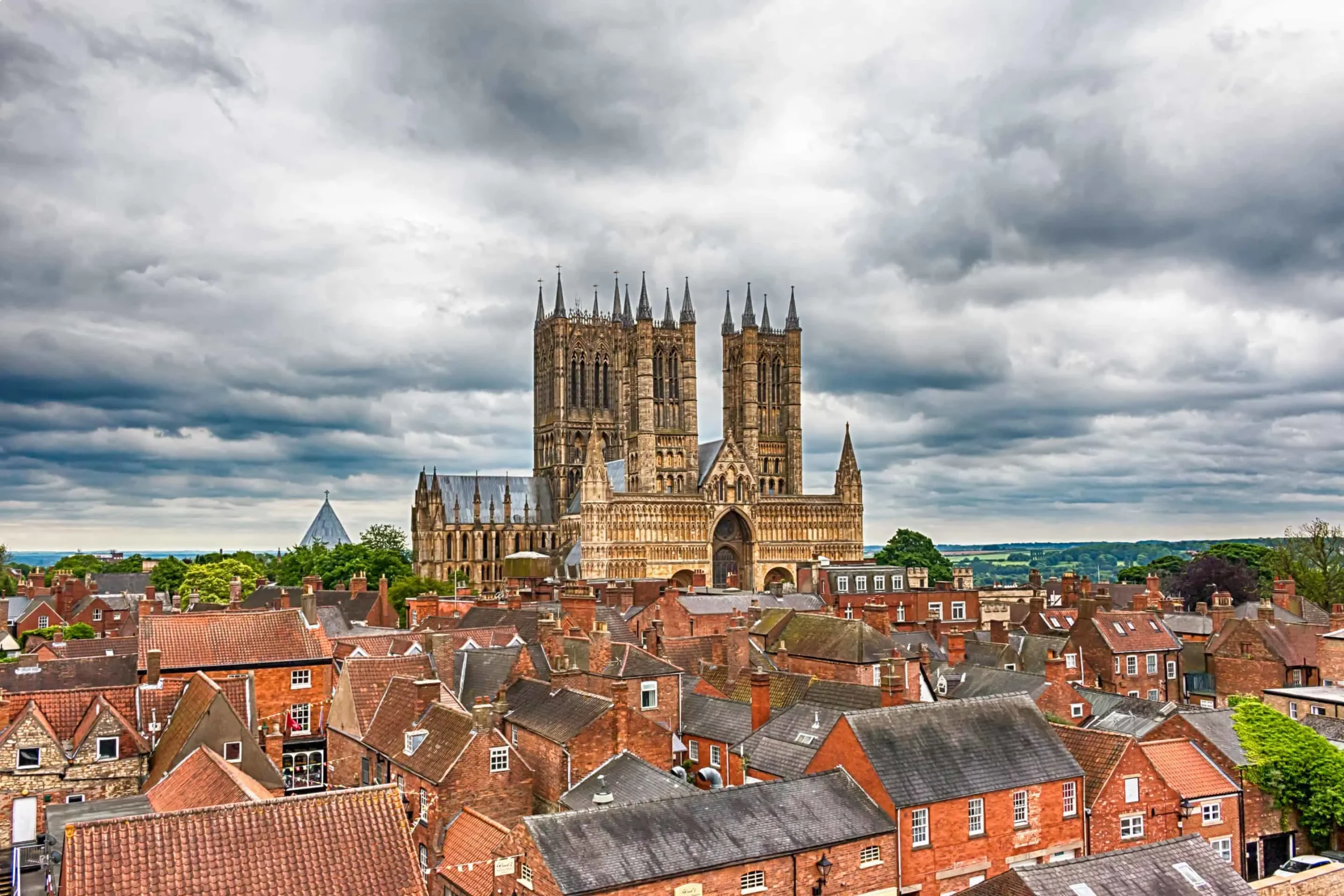
When choosing how to display this Omeka collection using WordPress, I decided that I wanted the potential viewer to understand the sort of setting that these documents would have been produced in, hence the initial photo of the Lincoln Cathedral. One drawback to Omeka is that it does not always present the images in their highest quality, that is why I made sure to put some within the WordPress site as well. In addition, figuring out how to embed an Omeka site was not for the faint of heart. I had to do a lot of learning about plugins and then, once I managed to get a plugin installed, I had to figure out how to upload it to my Cpanel Omeka folder and then how to activate the plugin for my actual items. I had initially wanted for my exhibit to be fully embedded into this WordPress site but, unfortunately, it appears that I am only able to embed Omeka “items” not “exhibits” nor “collections.” Nevertheless, I have evidently been able to successfully embed my Omeka items as seen above. I also really struggled with getting the embedded Omeka item to sit in-line with the rest of the WordPress text. Thankfully, with some google searching, I managed to encode a line of style=”text-align: center;” around the iframe code. These are some examples of my thought process regarding the presentation of this data.
Significance
My first conclusion regarding this process was that, although Omeka may not be the most glamorous version of a digital humanities project, the Omeka object creation process is incredibly thorough. Moreover, it requires a deep understanding of categorization theory in general, and also the data that you have on hand. For example, although it may sound silly to say, I really struggled with the difference between the title, the subject, and the description. In addition, the difference between the description and the dimensions is also difficult to discern in the context of manuscripts since there is also a lot of information about the folio types and the text dimensions. Secondly, I think there is also a lot of significance in showing these documents to the broader public, which was in part why I wanted to only do a subsection of the full dataset. Part of the draw to European medieval manuscripts for me was initially the color and artistry juxtaposed with the text. I think the public perception of medieval documents often focuses on the latin text but I would hope that showing the colorful dimensions of these pages would increase public interest.
I initially intended to produce a larger exhibit but, as it turns out, the process of picking a manuscript, going through all the various information and pre-existing metadata, and then collecting said data and placing it all into one item, and finally uploading the item to the exhibit ended up taking a lot of time. I also really struggled with figuring out how to get the pictures of the exhibits to show as thumbnails. I ended up having to go into the settings and attaching the “ImageMagick Directory Path” to “/usr/bin.” I think the biggest drawback to Omeka may end up being the lack of intuitive pathways, as I also experienced with the plugins in order that I may embed html script into WordPress.